 Lunamo Android 8+ Free Version 0.5.0
Your cycle, on your phone and nowhere else.
Lunamo is a cycle tracker for Android. It tells you ahead of your period, your fertile window and ovulation, and keeps mood, symptoms and temperature in one diary. What you write stays in the phone: no account, no cloud, no analytics.
An APK file from stygion.eu. Not on Google Play yet.
Download and install
Lunamo comes as an APK, the file Android installs apps from. Three steps, once.
The file
- Version
- 0.5.0
- Size
- 2.6 MB
- Released
- 16 November 2026
- Needs
- Android 8.0 or newer
SHA-256
499c9f33f255e6e51a4610c1f4402b31 The checksum of the file. Compare it if you want to be sure the download arrived whole; Lunamo checks it itself for every update.
Download the APK-
Download the file on your phone
Download it from this page in the phone’s browser. Android may warn that files like this can be harmful; this one is Lunamo, signed with our key.
-
Open it
Tap the finished download, or find it in Files → Downloads. The first time, Android asks whether your browser may install apps: allow it for this once, then go back.
-
Install
Tap Install, then open Lunamo. You can switch the browser’s permission off again afterwards; Lunamo’s own updates do not need it.
Your entries never leave the phone.
Most apps promise not to send your data anywhere. Lunamo is built so that it does not: it goes online for one thing, its own new version, and everything you write stays in one file inside the app on your phone. There is no server that receives your entries, ours included.
- Online only for updates
- The network code sits in one small part of the app, the updater, and Android lets it reach stygion.eu and nothing else.
- No account
- There is nothing to sign up for. Lunamo does not know your e-mail or your phone number.
- No cloud backup
- Android backup and phone to phone transfer are switched off for Lunamo, so your entries are never copied to Google Drive.
- No ads, no analytics, no crash reports
- There is no code in Lunamo that could report anything about you to anybody, us included.
- Three permissions
- Notifications for reminders (it asks you), network access for updates, and installing its own updates (Android asks you the first time).
Every build is read by a script before it goes out. It fails the build if the finished app holds a permission outside its list, carries a tracking or analytics library, uses the network anywhere but the updater, or may reach any address but stygion.eu.
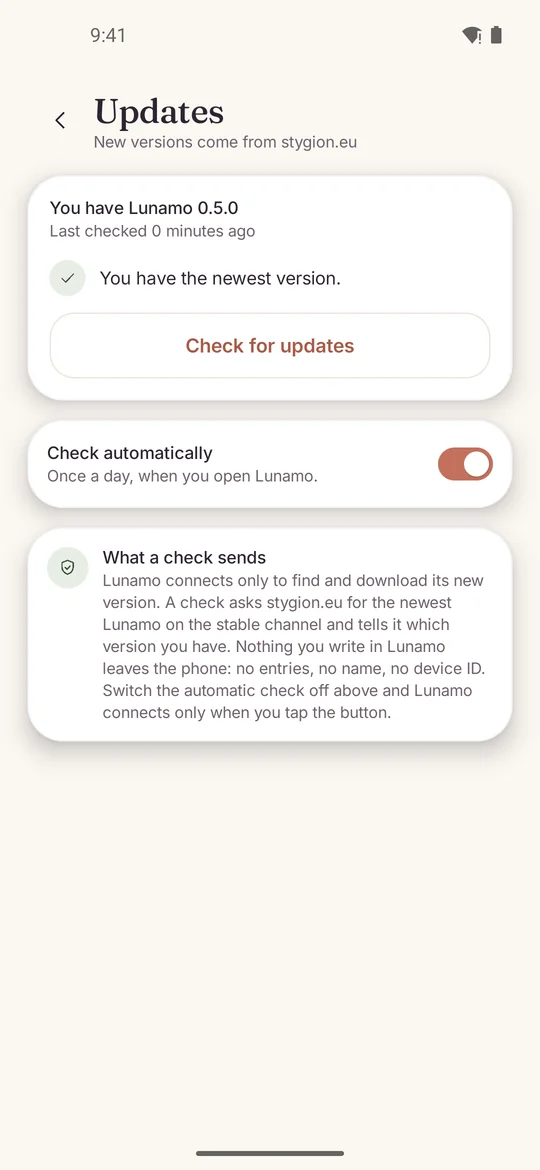
It updates itself.
Once a day, when you open it, Lunamo asks stygion.eu whether there is a newer version. If there is, a card on Today says so. One tap downloads it; Lunamo checks that the file is complete and signed with the same key as the app you have, and Android’s installer asks you to confirm. Your entries stay where they are.
- What a check sends
- The name of the app, the channel (stable) and the version you have. No device ID, no phone model, no name, nothing from your entries.
- Where it goes
- Only to stygion.eu, only over HTTPS. Android itself refuses every other address, for Lunamo and for every library inside it.
- The first update
- Android asks once whether Lunamo may install its own updates. Lunamo shows you where to switch it on; after that you only confirm.
- Your choice
- More → Updates → Check automatically turns the daily look off. The Check for updates button there always works.
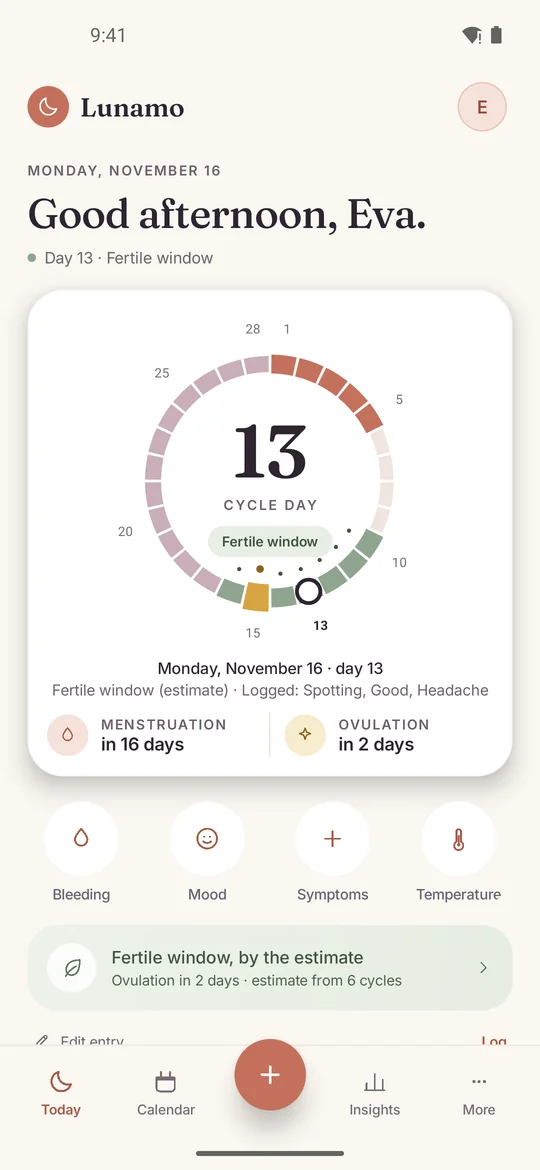
What Lunamo does
A word ahead of time, a calendar, a diary entry that takes a minute, and the numbers behind them.
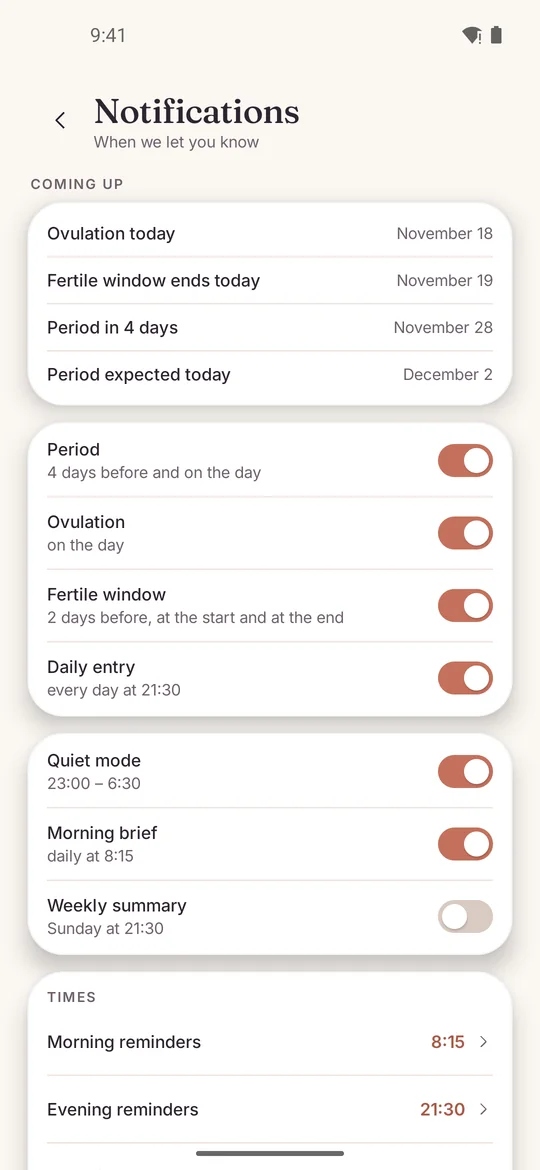
Reminders
What Lunamo is for. It tells you before your period, your fertile window and ovulation: as many days ahead as you choose for each, and again on the day, at your time and outside your quiet hours. The phone creates them itself.
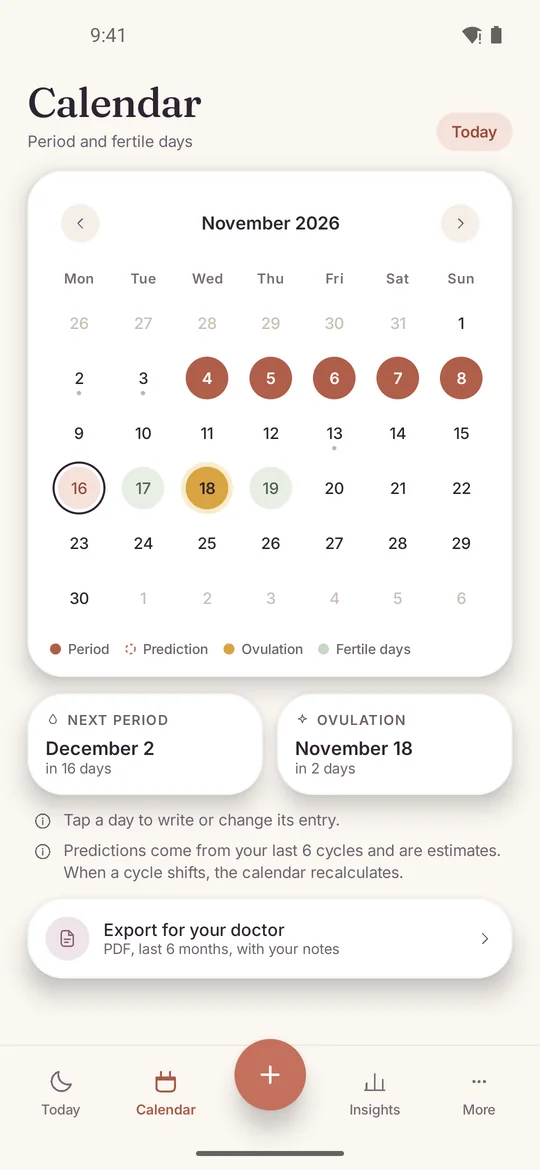
Calendar
Logged days are filled in and estimated days are dashed, so you always see which is which. Tap any past day to write its entry or fix it.
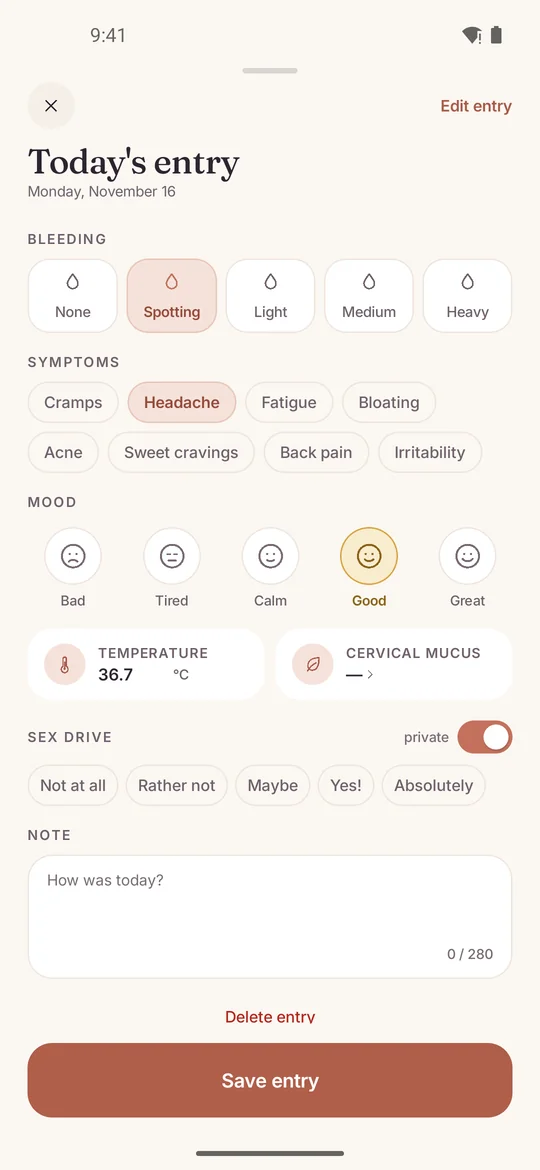
Daily entry
Bleeding from spotting to heavy, symptoms, mood, basal temperature, cervical mucus and a note. Sex drive has a private section of its own that you can hide completely.
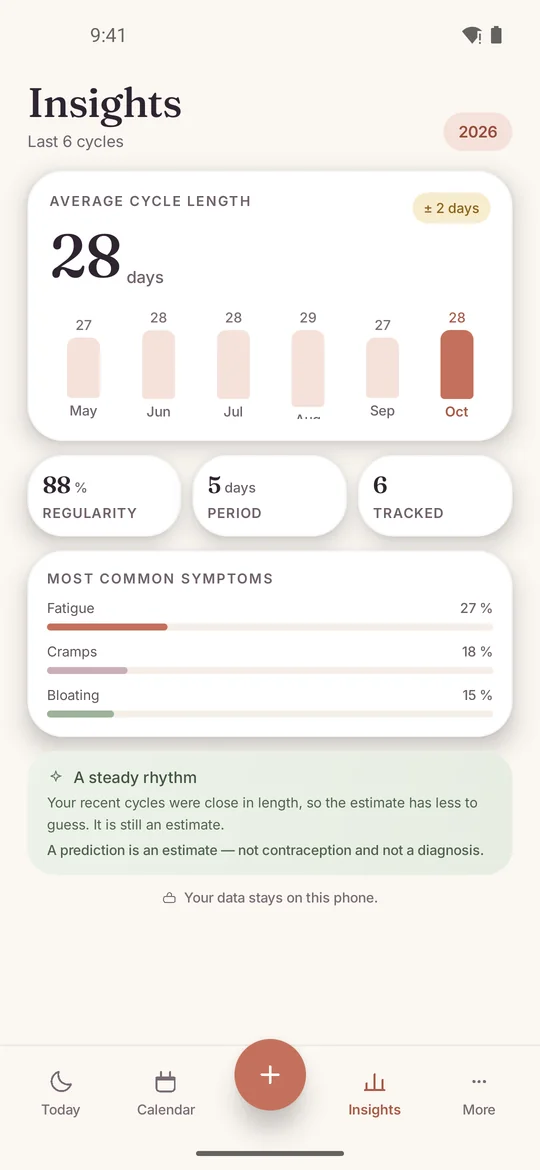
Insights
Your average cycle, how much it varies, your usual period length and the symptoms that come back, across the last six cycles.
Screenshots of Lunamo 0.5.0. The entries in them were invented for the picture.
What you write is yours to keep, move and delete.
- A backup file
- Export everything into one file and import it on a new phone. The file is plain, not encrypted, so keep it somewhere you trust.
- A PDF for your doctor
- The last six months as a document you can print or hand over: a summary and the daily entries.
- Nothing on the lock screen
- Reminder text stays hidden until the phone is unlocked, unless you decide otherwise.
- Screenshots blocked
- One switch turns screenshots, screen recording and the recent apps preview black.
- Delete everything
- One button erases every entry and setting. There is no copy anywhere else to ask about.
The other side of all this: lose the phone without a backup file and the entries are gone. Nobody can restore them, because nobody else ever had them.
An estimate, said plainly
Lunamo estimates your next period, ovulation and fertile window from the cycles you log. It is not a medical device, not contraception, not a diagnosis and not medical advice. An estimate can be wrong, most of all when cycles are irregular. Do not rely on Lunamo to prevent a pregnancy or to plan one, and talk to a doctor when something worries you.
How the estimate is made
From the mean length of your last six logged cycles, a luteal phase of 14 days, and a fertile window from five days before the estimated ovulation to one day after. When a period is late, Lunamo says so and waits for you to log it.
Questions people ask
Is Lunamo free?
Yes. No ads, no subscription, no paid features.
Does Lunamo need the internet?
Only to update itself. The diary, the estimate and the reminders all happen on the phone, so Lunamo works the same in airplane mode.
Is it on Google Play?
Not yet. Today you download it from this page, and it keeps itself up to date from here.
Is it safe to install an app from a website?
The file comes from stygion.eu over HTTPS, its SHA-256 is printed above, and it is signed with Lunamo’s key. Android refuses any later update that is not signed with that same key, so nothing else can ever replace Lunamo on your phone.
How do I move to a new phone?
In Lunamo open More, then Backup, and export a backup file. Install Lunamo on the new phone from this page, copy the file over any way you like and import it there. Android will not move the data for you, because Lunamo has that switched off.
What happens if I lose my phone?
Without a backup file the entries are gone. Lunamo has no copy and neither does anybody else. Exporting a backup now and then is the one thing we ask of you.
Can I use Lunamo as contraception?
No. Lunamo shows an estimate of ovulation and the fertile window, and an estimate can be days off. It is not a method of contraception.
Does it work with irregular cycles?
As a diary, always. The estimate is the mean of your recent cycles, so the more they vary, the further off it can be. Lunamo shows the spread next to the average so you can judge it yourself.
Can somebody who picks up my phone read it?
Reminder text stays off the lock screen by default, and one switch blocks screenshots and the recent apps preview. Lunamo has no lock of its own, so the screen lock of your phone is what protects it.
Which phones does it run on?
Android 8.0 and newer. The app is in English and Czech.
Is there an iPhone version?
No. Lunamo is for Android.
Who makes Lunamo?
STYGION, a small Czech software studio. Questions go to support@stygion.eu.