In Panel
Startup, eggs and variables
The startup command, the container image and the egg's variables — three fields that change what the server actually is.
Updated
Startup, eggs and variables
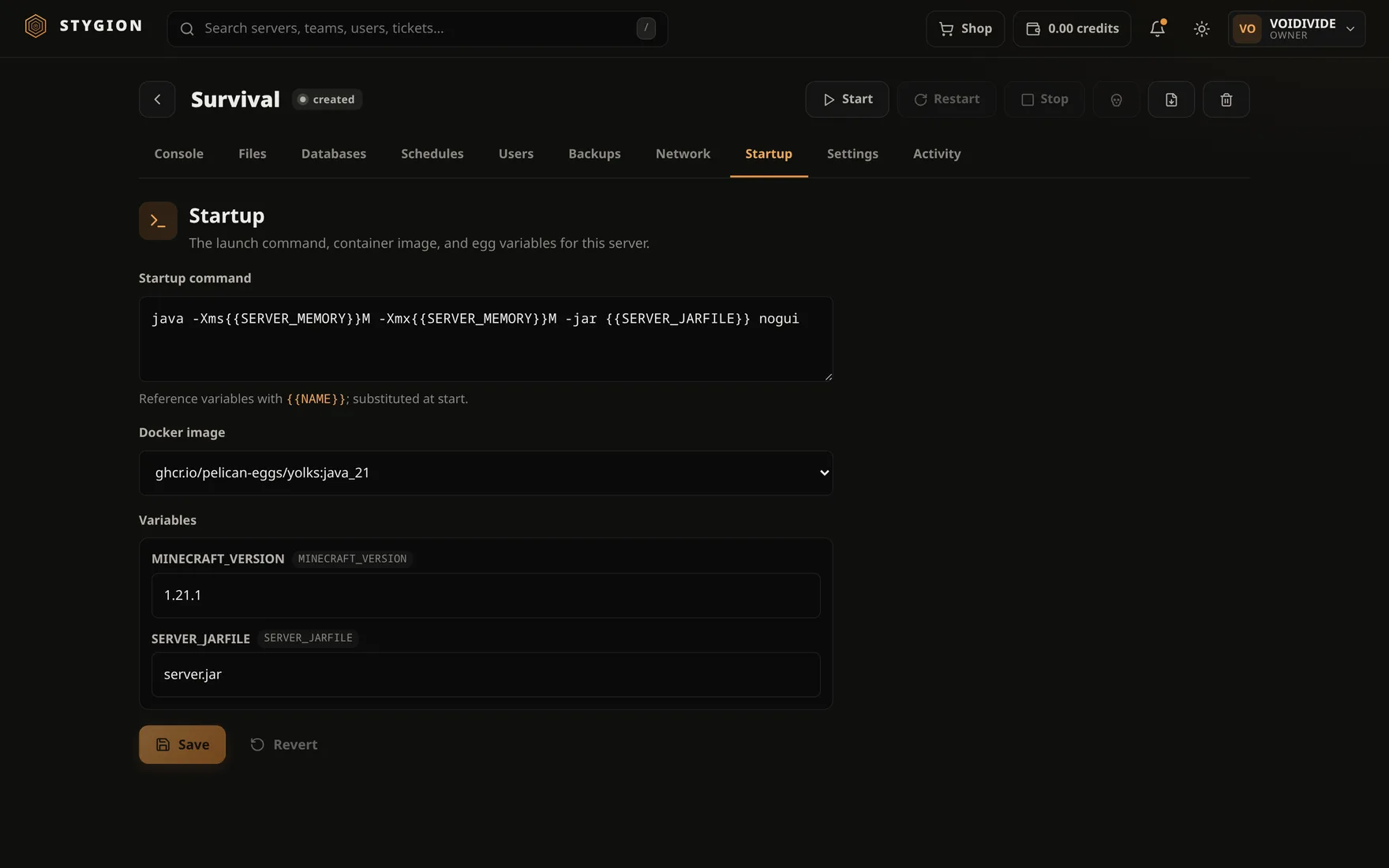
The Startup tab is how the server is launched. Three things, and each can break a server as easily as fix it.
The startup command
One line, run under bash inside the container. For Minecraft,
typically:
java -Xms{{SERVER_MEMORY}}M -Xmx{{SERVER_MEMORY}}M -jar {{SERVER_JARFILE}} nogui
Variables are referenced with double curly braces. An unknown
variable renders empty — so -XmxM means the name is misspelled, not
that something deeper is broken.
The panel supplies three variables always, even when the egg does not declare them:
| Variable | What is in it |
|---|---|
SERVER_MEMORY |
The memory limit in MB (1024 when unlimited) |
SERVER_IP |
0.0.0.0 |
SERVER_PORT |
The primary allocation |
Bash works in full here — [[ ]], $( ), backticks. Startup commands
from Pterodactyl eggs therefore work unchanged.
The image
The Docker image is the environment the server runs in: which Java, which libraries. An egg usually offers several (Java 8, 17, 21), and any reference can be typed in.
Changing the image changes the runtime, not the data. A modpack built for Java 17 will not boot under Java 8, and says so immediately in the console.
Variables
Whatever the egg exposes — jar name, version, an API key, switches. The panel shows the egg's own labels beside them, so no field has to be guessed at.
Saving rebuilds the container
Saving Startup rebuilds the container. It has to: the command, the image and the variables are part of the container, not something that can be changed while it runs.
The data directory is not touched. The panel also takes the opportunity to restore the pipe the console sends commands down, which makes saving Startup the quickest way to move a server onto today's console.
Reinstalling
Settings → Reinstall server runs the egg's install script again. It is for an install that failed the first time, or a change of game version. Egg scripts usually overwrite the server's files and leave the world alone — but that is the egg's script, not a guarantee from the panel. Take a backup first.
Next: Server settings.
Did this page help?
Opens the feedback panel with this page attached, and lands in the same queue as everything else.